
 العربية
⬜ Taxes Report in AurPOS
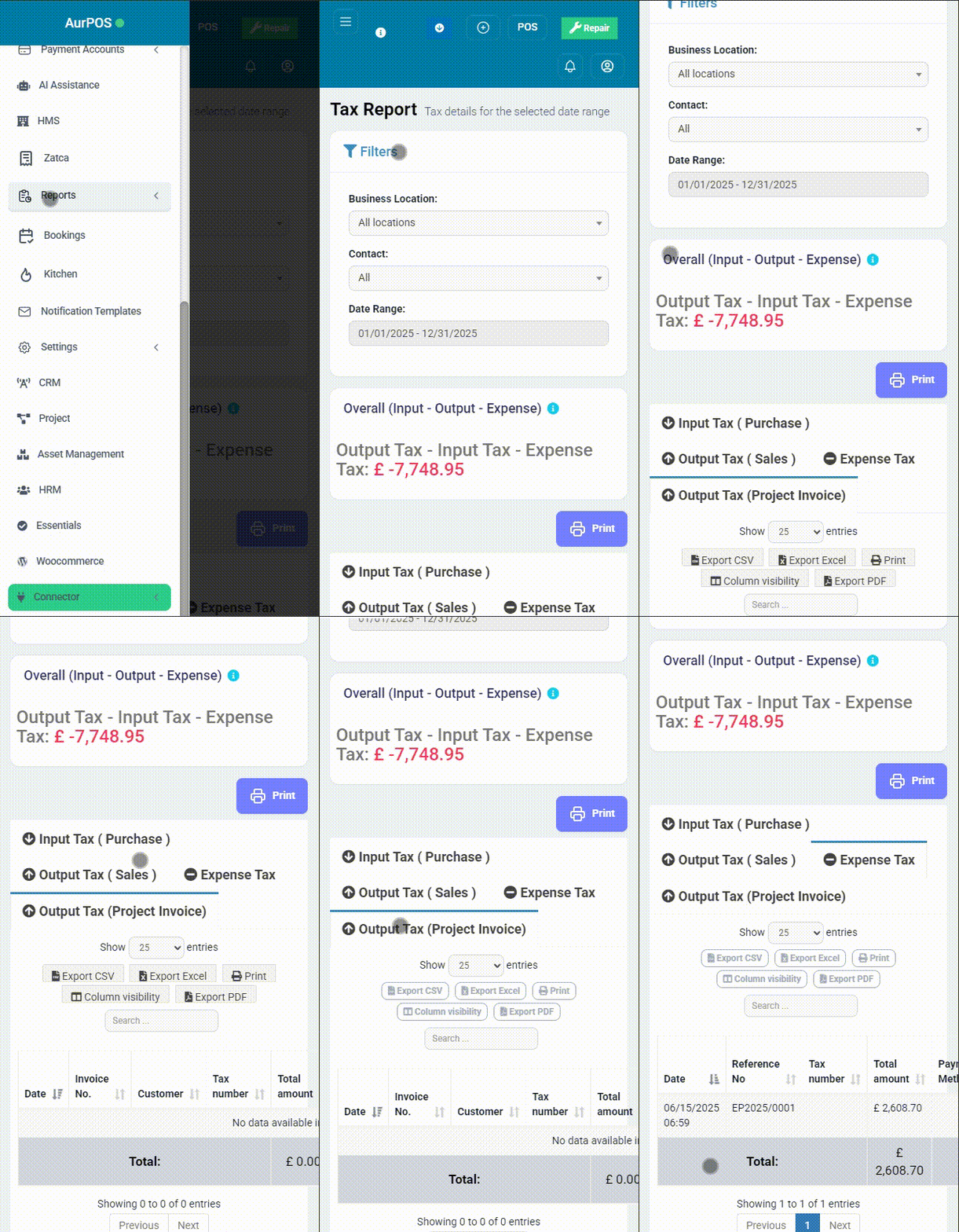
The Taxes Report in AurPOS provides a precise and transparent tool to review taxes associated with purchases, sales, and expenses within your business over a defined period. This helps you stay compliant and analyze your financial obligations with ease.
✅ What is the Taxes Report?
The Tax Report displays detailed tax amounts related to:
-
Input Tax (Purchases)
-
Output Tax (Sales)
-
Expense Tax
-
Output Tax (Project Invoices)
The net tax amount is calculated based on the difference between input taxes, output taxes, and expenses, giving you a clear overview of your business’s tax status during the selected period.
✅ Advanced Filter Options
You can easily customize the report using various filters:
-
Business Locations – to view data for a specific location.
-
Contacts – to filter based on the counterparty
-
Date Range – to select a specific period (e.g., from 01/01/2025 to 12/31/2025)
✅ Report Details
The report includes a detailed list of each taxable transaction, showing:
-
Transaction Date
-
Reference Number
-
Supplier Name
-
Supplier Tax ID
-
Total Amount
-
Payment Method
-
Discount (if any)
-
VAT (Value-Added Tax)
-
Transitional Tax
At the bottom of the report, you’ll find the total tax amount due for all recorded operations during the selected period.
✨ Why Is the Tax Report Important?
This report helps you:
-
Accurately track your tax obligations
-
Identify net tax payable or refundable
-
Prepare periodic tax filings with ease
-
Facilitate tax audits with accountants or authorities

✳ Pro Tip
Review this report regularly—especially before tax filing deadlines—to ensure full readiness and compliance with tax regulations.